Less guessing.
More knowing.
Find your feel here. Record your real club distances in OnePar, then return to what you learned before your next round.
Know what’s in your bag OnePar
Get early access ↓
Your golf practice, recorded
OnePar is a golf practice log and scorecard. Log the clubs you practice with, keep your distances and notes, and return knowing more about your game.
Pick a spot. Take a couple of shots. Find a little feel.
Coming first to iPhone.
This illustrative demo is separate from OnePar, a practice log and scorecard. Demo shots and results are not saved to the app.
Weather changes the scene, not the shot physics. Camera motion and ball flight have separate controls. You can replay a shot without adding an attempt.
Find your feel here. Record your real club distances in OnePar, then return to what you learned before your next round.
Know what’s in your bag
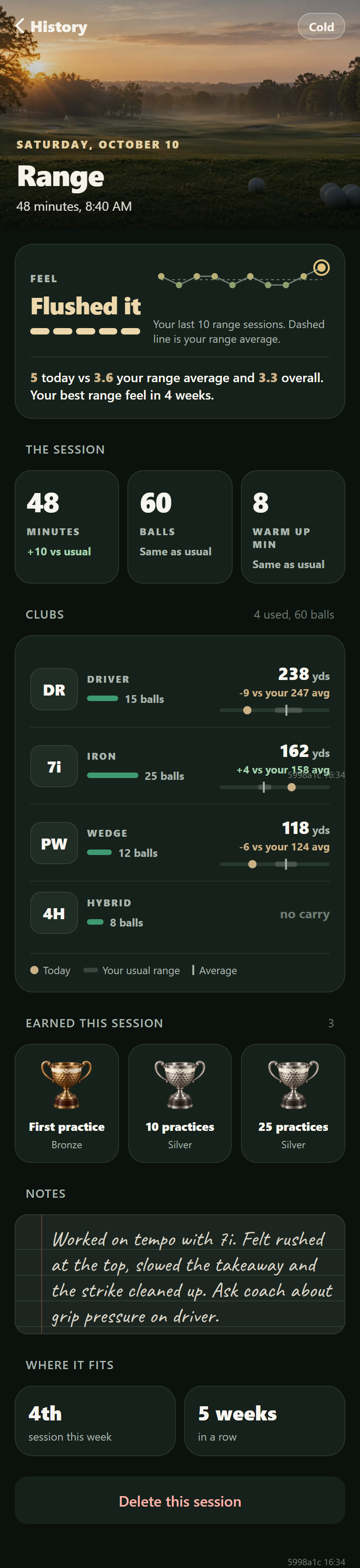
App preview · Example records
Warm sunshine. A different day is worth remembering.
The 3D view is unavailable here. You can still explore each area with the controls below.
Your club: Putter · Choose your distance
Your club: Wedge · Choose your landing spot
A few tries. A little more feel.
Choose a club. Set strength, then swing.
Keep your clubs, distances and notes in OnePar.
From the practice ground to your pocket
Start with the clubs you used. Add the details that matter to you.
Come back knowing a little more about your game.
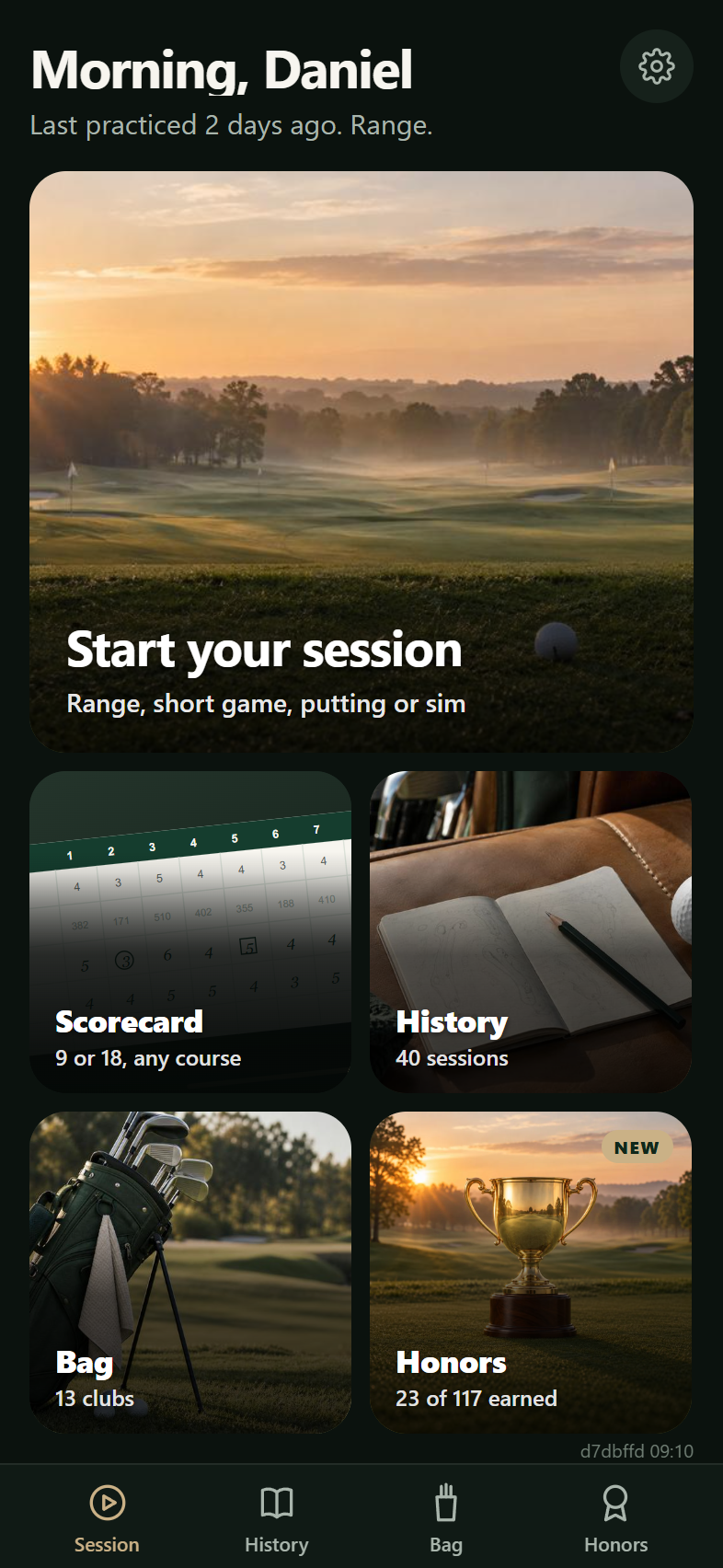
These prototype app captures show example records. Exploring them does not enter or save a session. Final release screens may differ.
Your game belongs to you
Your clubs, sessions, notes and scores stay in the app’s storage on your phone. OnePar does not receive those records.
You choose what to export or share. Your phone’s backup settings may also include app data.
This describes the app’s golf records. The website and early access list have a separate privacy notice. An export leaves the app only when you choose where to send it. Apple may provide anonymous crash reports if you enable that in your phone settings.
03 / A record for the whole year
Keep your sessions and useful thoughts together, ready for whenever you return.
Return to your own record, whatever the season.

Take what you recorded
to the first tee.
A place for the details, so you can get back to the game.
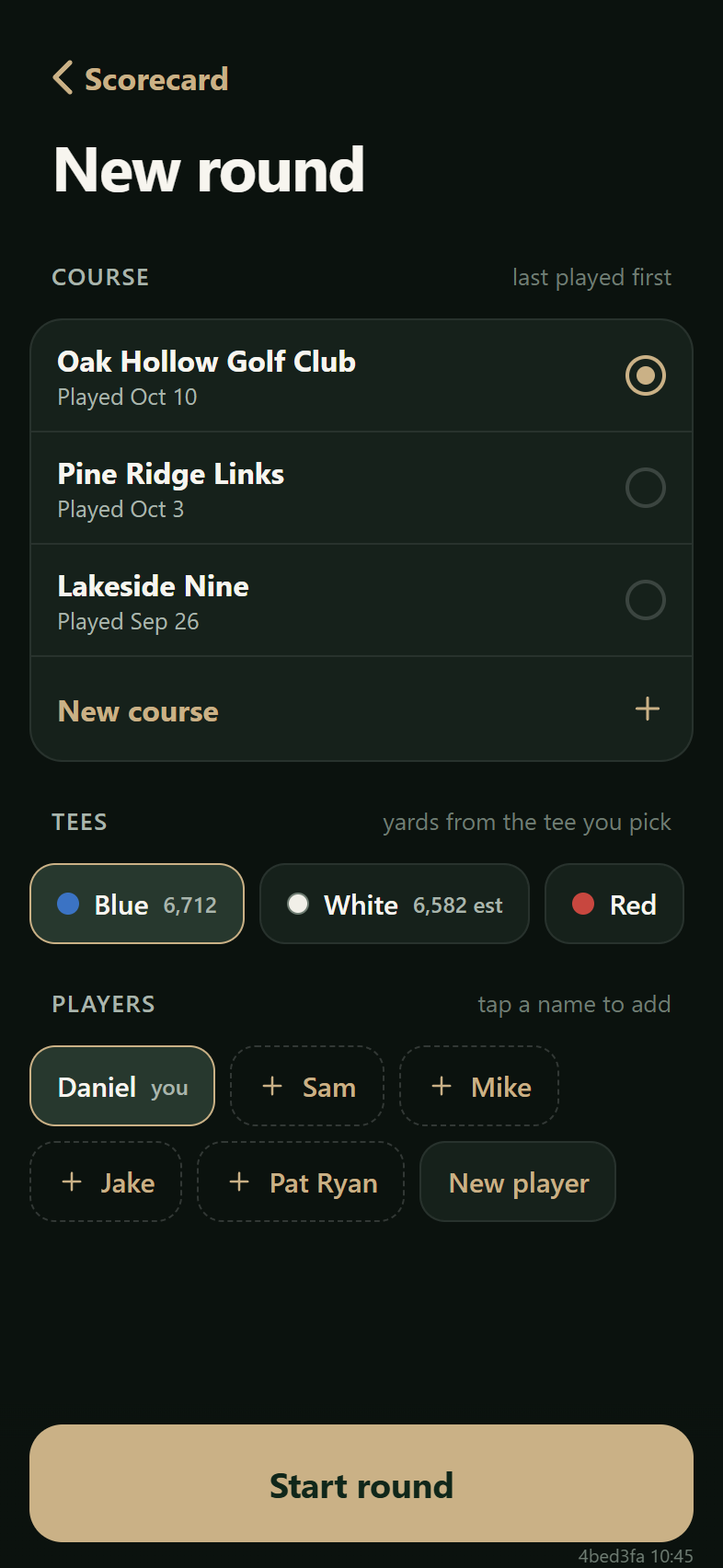
These prototype app captures show example records. This page does not start or save a round. Recorded distances are a reference, not GPS measurements or predictions.
Practice makes Par.
One session. One round. Your own record.
One day can feel different from the next. Your record helps you see the work between them.

App preview · Example records
Scroll inside the phone to explore.
These prototype app captures show example records, not your personal progress. They reflect entered records, not automatic shot detection or coaching. Final release screens may differ.
Progress isn't always a lower number.
A short note can give your next session a familiar starting point.
Tell us what helps you practice and what gets in the way.
Practice with others, shared progress and device connections are ideas to explore, not live services or promised features.
Good questions belong here, too.
Start by marking the clubs you practiced with. Add ball counts and distances when useful, then rate how the session felt from 1 to 5. A short note can hold something you want to try again.
The practice logging shown here uses information you enter. You can begin without a connected device. Device connections are a future collaboration opportunity, not a feature promised in this page.
Your recorded practice carry distances give you a reference on the course. They do not predict the next shot or account automatically for wind, lie or elevation. You make the club choice.
You can start with the clubs you used and a note about how it felt. You don’t need a detailed history to begin keeping one. OnePar’s aim is to make recording practice approachable, at your own pace.
Your clubs, practice sessions, notes and scores stay in the app’s storage on your phone. OnePar does not receive those records. You choose what to export or share. Device backups may include app data, and optional Apple crash reporting is separate. Website and early-access information have their own privacy notice.
Keep the useful feeling, adjustment or question with the session and refer to it during a lesson. Sharing and exports are your choice. This preview does not show a connected coach account or coaching portal.
Community practice, device connections and venue collaborations are directions we want to explore with golfers and partners. They are not presented here as live services or confirmed partnerships.
OnePar is in development and coming first to iPhone. Android is planned, with no release date announced yet. Join the early-access list below for testing and launch updates; you can choose iPhone or Android interest, and you can leave the list at any time.
Join early access ↓Help more people find their way into golf and a reason to return.
We welcome conversations with equipment makers, places to play, coaches and youth organizations.
For a young person, getting into golf can begin with access to a club, a place to practice, and someone willing to help. We would love to explore donated range time, equipment support, pro bono expertise and support for local youth programs.
Start by listening to the organizations already doing the work.
Explore youth golf through First Tee ↗First Tee is an independent youth development organization. This reference does not imply a OnePar partnership or endorsement. No donations are collected on this page.A little practice. A useful record.
A game you can keep growing into.
Coming first to iPhone. Android is planned. Tell us which you use and we’ll send testing and launch updates.